Class Companion Help Center home page
Tutorials Log In Submit a Request
Sign in

Search

  1. Class Companion
  2. 📝 Assignments

How do I include an image in my assignment?

  • Updated January 16, 2026 21:51


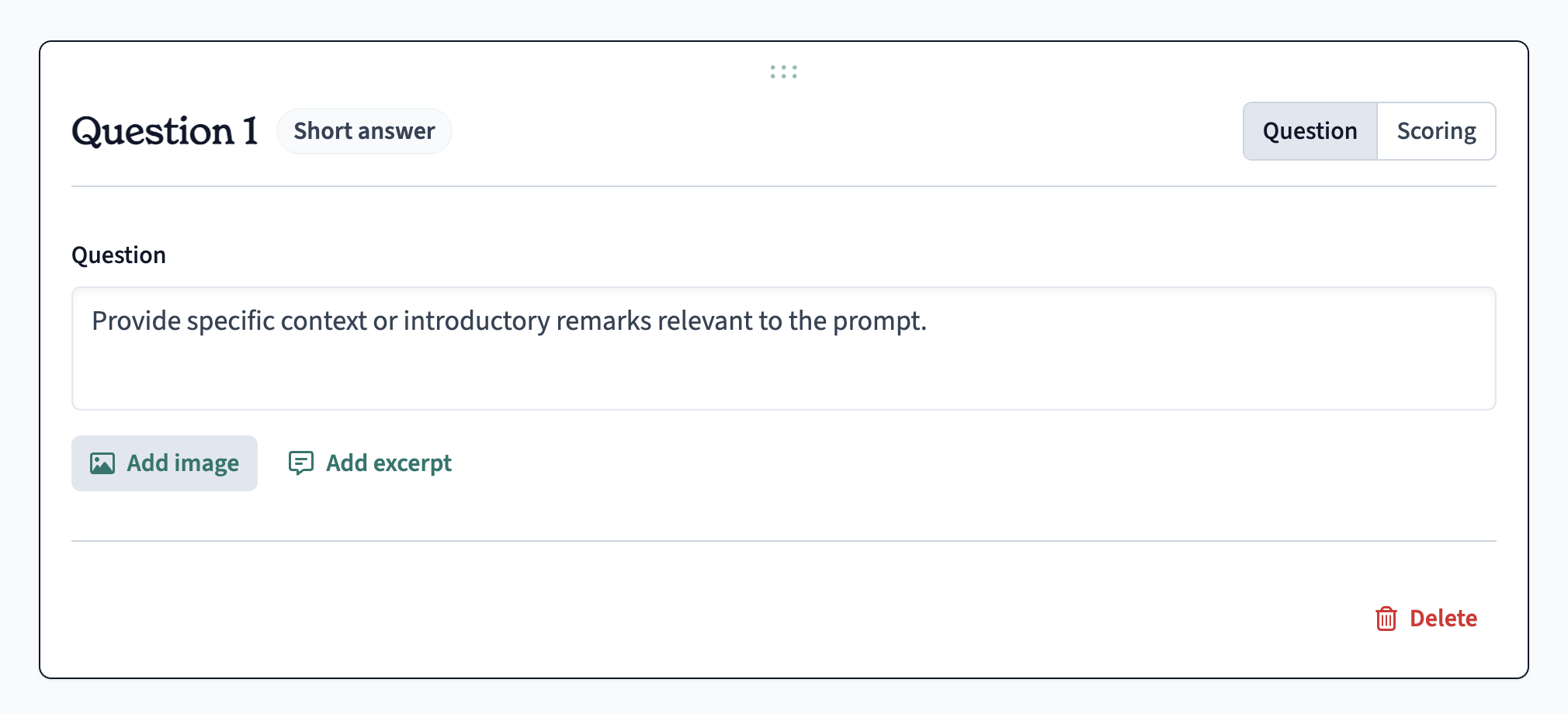
When  editing an assignment , you can select Add image as shown in the above screenshot. Class Companion supports any JPG, PNG, or PDF attachments in a question.

Currently the AI relies on the image caption to know what is happening in the image, chart, or graph. So be sure to include a detailed caption for each image in order for the AI to include the image's context when providing feedback.

Related articles

  • How do I submit multiple pages for handwritten assignments?
  • How do I create a rubric?
  • How can I use Class Companion without my students joining?
  • Which assignment formats does Class Companion support?
  • How are other teachers using Class Companion?

Articles in this section

  • Why can't my student submit their response?
  • How do I create an assignment?
  • How do I disable ditto the AI tutor on an assessment?
  • How do I adjust or overrule scores?
  • How do I add or assign an assignment to another class?
  • How do I change the schedule, due, or close dates on an assignment?
  • How do I choose multiple correct options for Multiple Choice questions?
  • How do students use accommodations/accessibility features?
  • Can I recover lost/erased work?
  • Why is my student getting a "Messages Out of Sync" Error?

See all articles