Class Companion Help Center home page
Tutorials Log In Submit a Request
Sign in

Search

  1. Class Companion
  2. 📝 Assignments

How do I adjust or overrule scores?

  • Updated January 08, 2026 17:47
  1. Navigate to the student's submission.
  2. Select the gavel icon next to the score you would like to override.
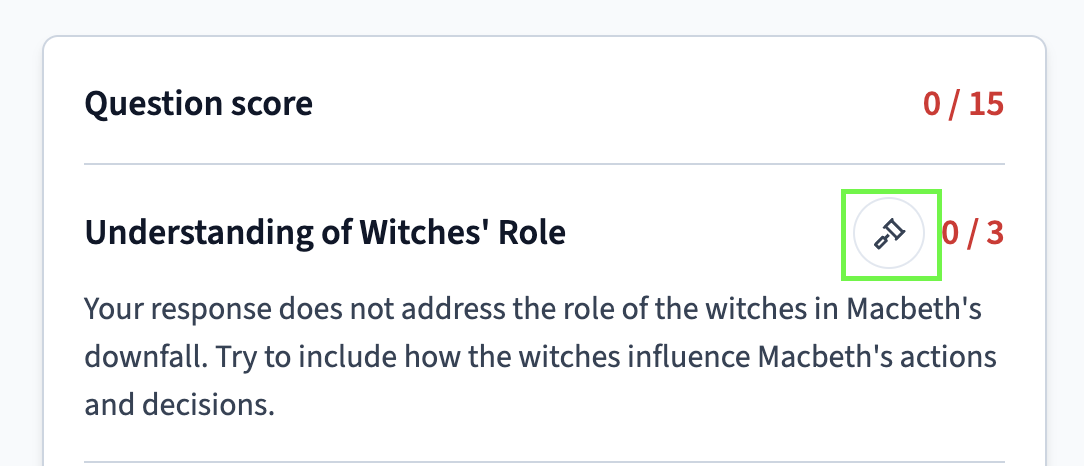
How do I adjust or overrule scores?
  1. Set your final score and provide a comment as to why the student deserved this score.
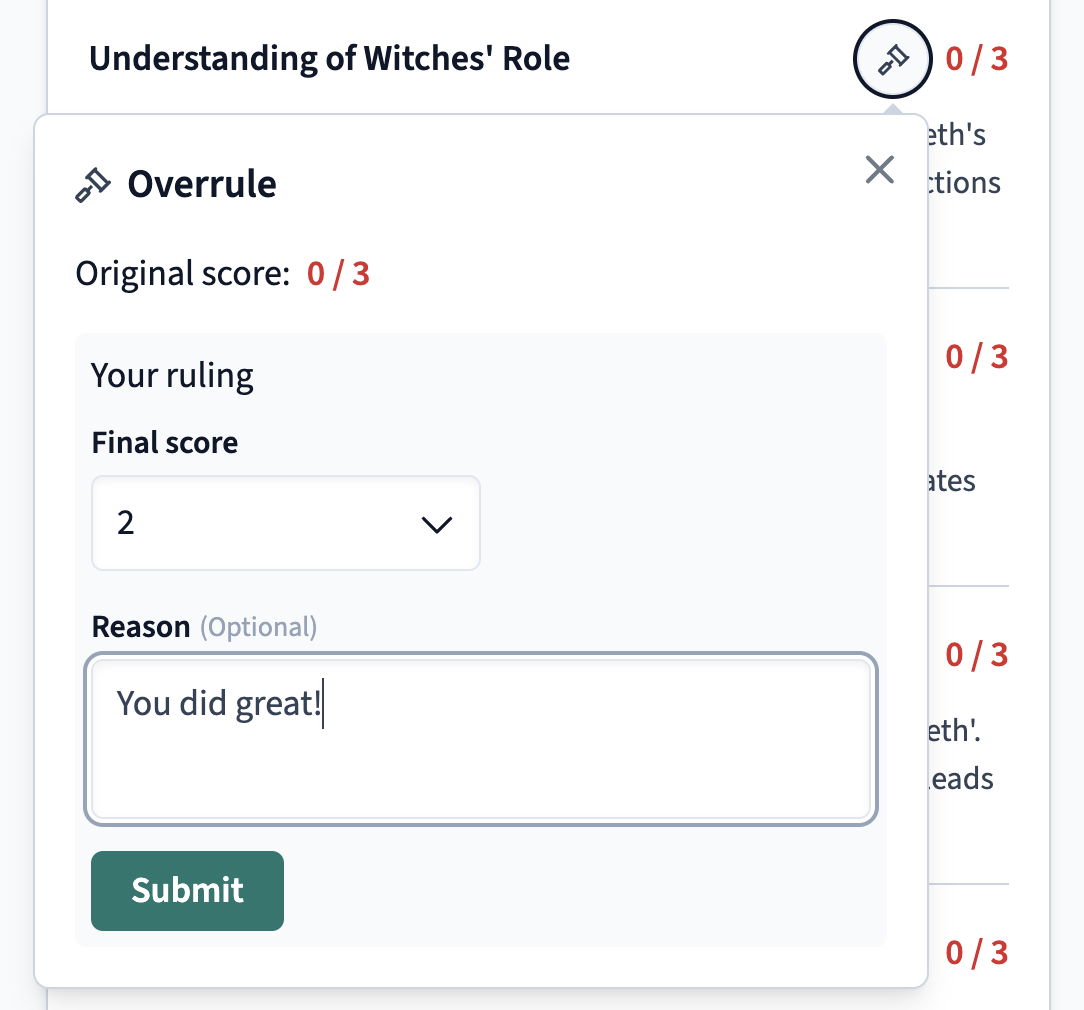
How do I adjust or overrule scores?
  1. Click submit!
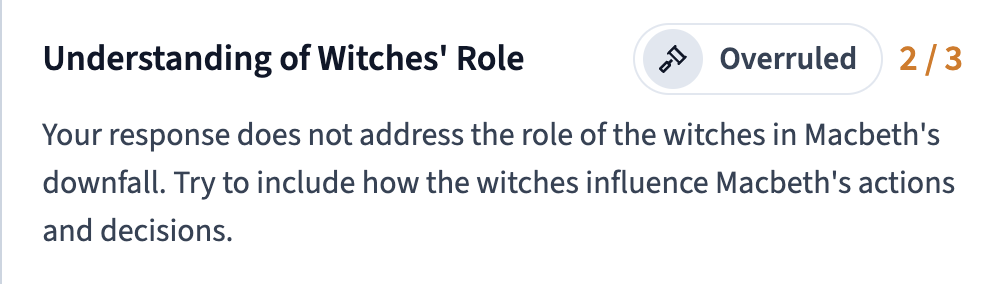
How do I adjust or overrule scores?

Related articles

  • How do I disable ditto the AI tutor on an assessment?

Articles in this section

  • Why can't my student submit their response?
  • How do I create an assignment?
  • How do I create an assignment?
  • How do I disable ditto the AI tutor on an assessment?
  • How do I adjust or overrule scores?
  • How do I add or assign an assignment to another class?
  • How do I change the schedule, due, or close dates on an assignment?
  • How do I choose multiple correct options for Multiple Choice questions?
  • How do students use accommodations/accessibility features?
  • Can I recover lost/erased work?

See all articles