How do students access Class Companion?
Students must be invited by their teacher to access Class Companion. You can invite students by sharing a unique link or by sending email invitations.
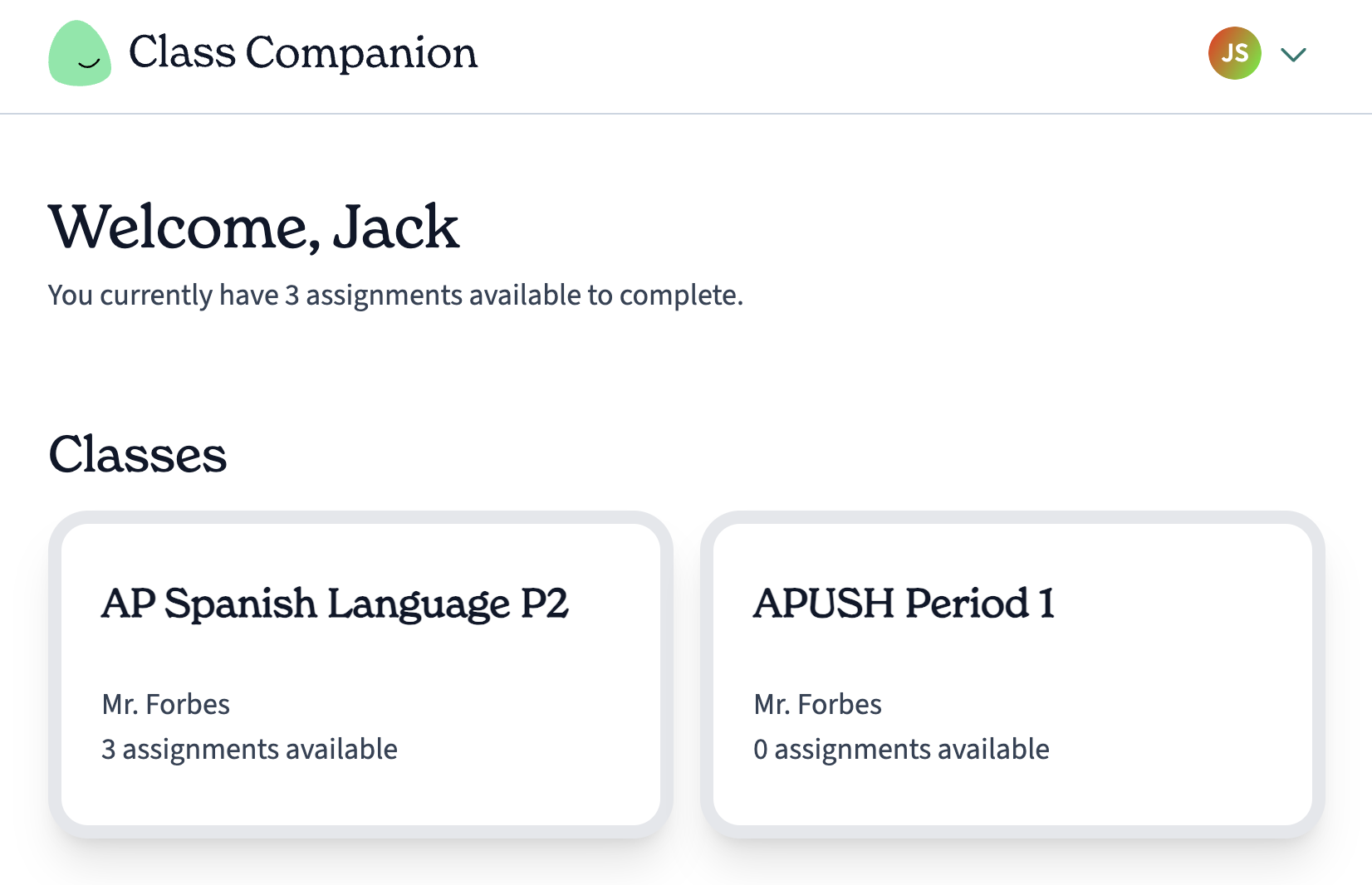
The student dashboard lists a student's classes, including the class name, teacher name, and number of assignments available for them to complete.
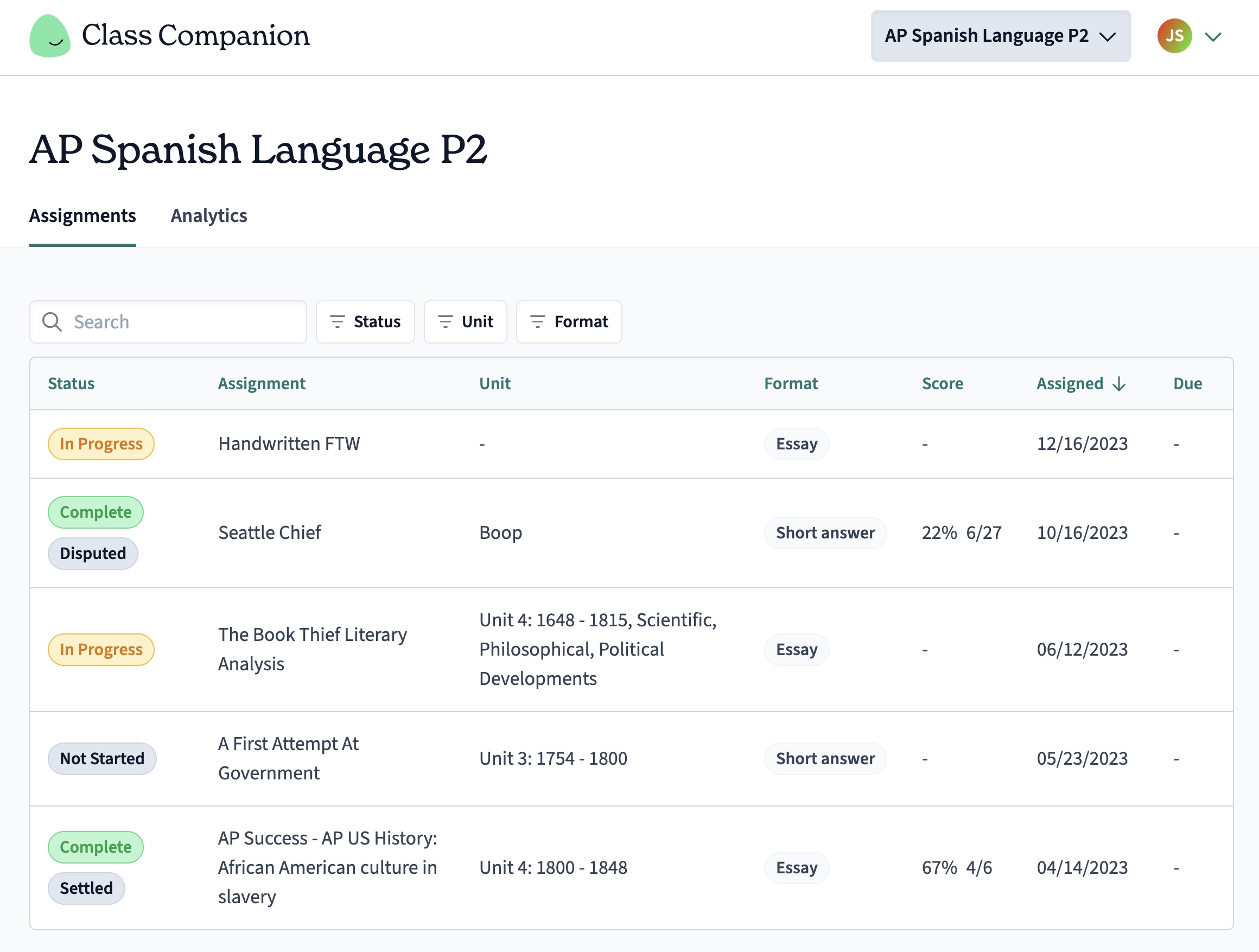
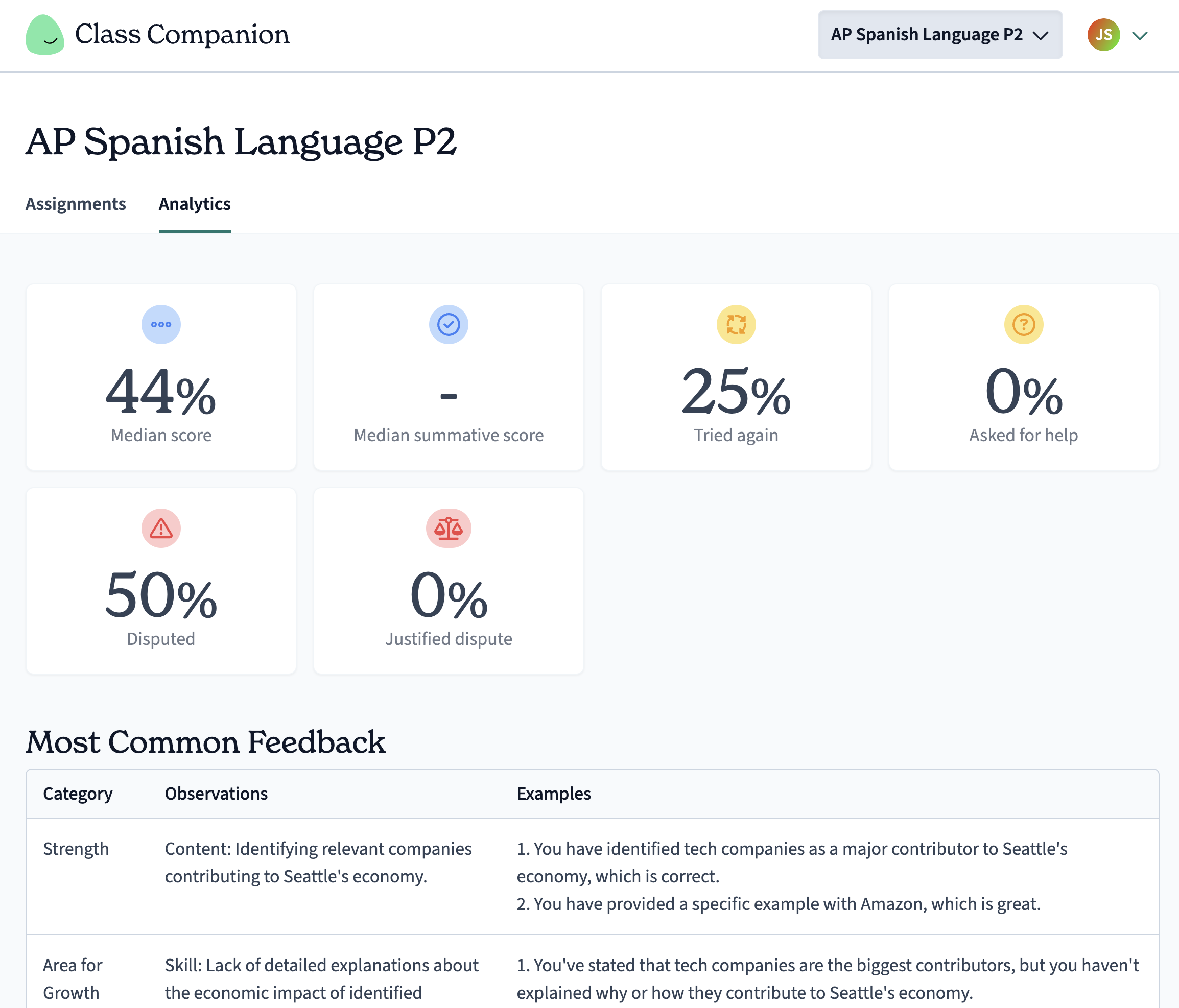
Upon selecting a class, students see two tabs: Assignments and Analytics. Assignments lists all open assignments they have completed or yet to complete. Analytics shows students the same insights you can see about that student as a teacher.
How do I experience completing an assignment as a student?
You can get a sense of the student assignment experience by clicking Preview as student from the Actions menu on the right side of the assignment table row.
Students can dispute feedback . You will see their proposed score and comments in your Submissions page.