Class Companion Help Center home page
Tutorials Log In Submit a Request
Sign in

Search

  1. Class Companion
  2. 🎓 General

How do I invite a co-teacher to a class?

  • Updated January 08, 2026 16:56

You can add as many co-teachers as you'd like to your classes on Class Companion. In order to invite a co-teacher to a class:

  1. From  your teacher dashboard , select the class
  2. Select Settings at the top of the page
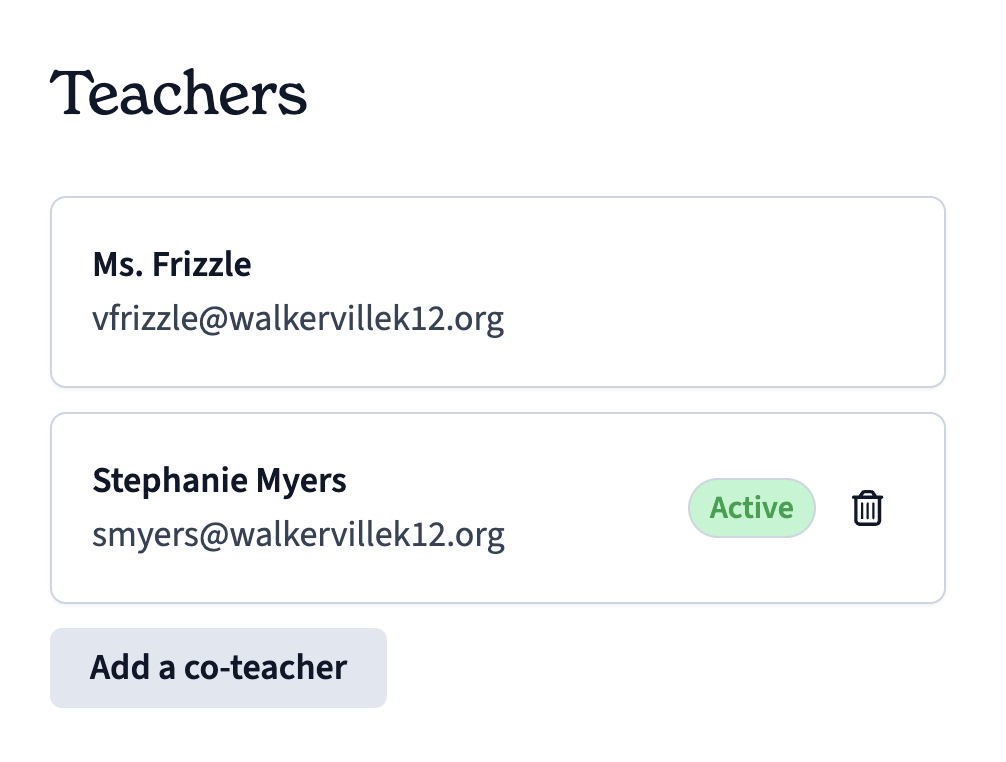
  3. Scroll down and select Add a co-teacher
How do I invite a co-teacher to a class?
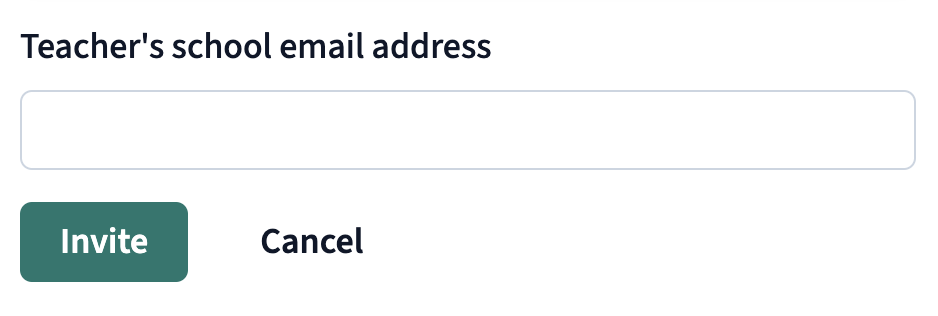
  1. Enter the teacher's email address and click Invite
How do I invite a co-teacher to a class?

The invited teacher will receive an email to join the class.

Related articles

  • How do I get Premium access?
  • How can I use Class Companion without my students joining?
  • How can I convert a student account to a teacher account?
  • How do I disable ditto the AI tutor on an assessment?
  • How do I add my students to Class Companion?

Articles in this section

  • Archiving Classes
  • How do I get Premium access?
  • How does the AI tutor work?
  • How can I use Class Companion without my students joining?
  • How do I move a student to another class?
  • How do I add my students to Class Companion?
  • How can I delete a class?
  • Is Class Companion free for teachers?
  • How do I invite a co-teacher to a class?
  • How can I convert a student account to a teacher account?

See all articles